×

Make Payments Easier with Your Own PayPal Payment Link

Category: Social Commerce

PayPal Payment Link

PayPal Payment Link
Physical currencies are becoming a thing of the past, and online transactions have become the norm. In the Middle East and Africa, credit cards and digital wallets account for 31% and 20% of e-commerce transactions, respectively. PayPal was one of the first to enter the digital payments sector and, over the years, garnered a reputation of being among the most trusted and widely used payment platforms. With its secure and convenient features, PayPal enables individuals and organizations to send and receive money effortlessly across borders. One of its key functionalities is the ability to create payment links, allowing users to request payments in a simple manner. Let’s explore how to create a PayPal payment link and discuss the benefits it brings to both individuals and businesses.

What is PayPal and How Does it Work?

PayPal lets users receive and send money securely over the Internet. It serves as a digital wallet, connecting your bank account, credit/debit card, and PayPal balance to facilitate transactions. PayPal provides a user-friendly interface that simplifies the payment process for individuals and organizations. It also offers additional features such as buyer and seller protection programs, dispute resolution assistance, and the ability to set up recurring payments. These features add an extra layer of confidence and reliability to the PayPal ecosystem.

How to Create a PayPal Payment Link

On Desktop:

  1. Access your PayPal Account: Go to the PayPal site, use your credentials, and log in to your account.
  2. Navigate to the “Tools” section: Once logged in, locate the “Tools” tab on the top navigation menu.
  3. Select “PayPal Buttons”: Under the “Tools” section, click on “PayPal Buttons” to access the button creation interface.
  4. Choose a button type: PayPal offers various button types to suit different payment scenarios. Select the type of button that fits your needs, such as “Buy Now” or “Donate.”
  5. Configure the button settings: Customize the button by specifying the payment amount, currency, and other relevant details. You can also add additional options like shipping information or item descriptions.
  6. Generate the payment link: After configuring the button settings, click on the “Create Button” or “Get Code” option. PayPal will generate a code snippet that includes the payment link.
  7. Copy and share the link: Copy the generated payment link; share it with your customers or recipients via email, messaging apps, or any other communication channel.

On Mobile:

  1. Install and launch the PayPal App: Download the PayPal app from your device’s Android/iOS app store and log in to your account.
  2. Tap on the “Send & Request” tab: Once logged in, locate the “Send & Request” tab at the bottom navigation bar and tap on it.
  3. Select “Request”: In the “Send & Request” section, choose the “Request” option to initiate a payment request.
  4. Enter payment details: Fill in the requested payment details, including the recipient’s email address, payment amount, and currency.
  5. Customize the request: Add any additional notes or descriptions to personalize the payment request.
  6. Generate the payment link: After entering the necessary details, tap on the “Create” or “Next” button to generate the payment link.
  7. Share the payment link: Once the payment link is created, you can share it directly from the PayPal app through various communication channels like messaging apps, email, or social media platforms.

Benefits of Creating a PayPal Payment Link

Simplified Payment Collection

By providing a direct and easily accessible payment option, payment links streamline the payment collection process. Instead of relying on traditional methods like checks or bank transfers, payment links allow you to share the URL of the payment page. This eliminates the need for customers to navigate through complicated checkout processes, resulting in a quicker and smoother payment experience.

Enhanced Convenience

With the help of payment links, there’s no need for manual invoicing or going through the hassle of sharing bank details. This makes up for a more seamless and convenient payment experience. Just generate your payment link with the required details and share it via email, messaging apps, or social media platforms. This ease of use is reciprocated into faster payments and reduces the chances of human error in the payment process.

Global Accessibility

Businesses are going global now, with users ordering products from all over the world. PayPal is available in numerous countries and supports multiple currencies, making it one of the best for international transactions. Their extensive reach and security instill trust in businesses and empowers them to reach a broader customer base without worrying about currency conversions or cross-border payment restrictions.

Mobile-friendly

With the increasing use of smartphones for online transactions, PayPal provides a user-friendly mobile app that allows you to create and share payment links on the go. The mobile app offers the same features and functionalities as the desktop version, ensuring you can manage your payment requests and track transactions conveniently from your mobile device.

Increased Security

With PayPal, you can be sure that your transactions are safe and protected. PayPal employs advanced encryption and fraud prevention measures, ensuring secure transactions. They add an extra layer of protection by not sharing the financial information of the customers. They don’t have to provide their credit card or bank details directly to the seller and risk being cheated.

Tracking and Reporting

PayPal provides detailed transaction history and reporting features, allowing you to efficiently track payments, generate invoices, and analyze your financial data. You can access information about your sales, revenue, and customer trends through PayPal’s dashboard or reporting tools. This data can help you make informed business decisions, track the success of marketing campaigns, and maintain accurate financial records.

Integration with Other Platforms

One of the biggest advantages of using a PayPal payment link is its ability to be easily integrated into websites, online stores, and various third-party platforms. This integration enables businesses to offer a seamless checkout experience to their customers and accept payments directly on their websites or e-commerce platforms. PayPal also offers integrations with popular shopping cart solutions and payment gateways, expanding its compatibility and making it a versatile choice for businesses of all sizes.

Also Read: PayTabs Now Supports PayPal

Wrapping Up

Creating a PayPal payment link is a practical and efficient way to request payments. Whether you’re an individual collecting funds for a personal project or a business owner seeking a streamlined payment solution, understanding how does PayPal payment link works can help you make a well-informed decision. PayPal’s user-friendly interface and robust security features simplify the payment process and offer added convenience for both senders and recipients.

PayTabs is a comprehensive payment solution that seamlessly integrates with PayPal, providing additional features and functionalities to enhance your payment process. With PayTabs, you can create customized payment links, generate invoices, and access detailed reporting and analytics. It offers a range of payment options, supports multiple currencies, and provides advanced fraud protection measures. By leveraging PayTabs alongside PayPal, you can further optimize your online transactions and provide a seamless payment experience to your customers.

Receive Payments for Freelance Work

Receive Payments for Freelance Work

As more and more people opt for freelance work as a full-time career or a part-time side hustle, one of the most important aspects to consider is receiving payments for services rendered. Freelancers often face challenges when it comes to getting paid on time, dealing with unreliable clients, and managing multiple payment methods. This article aims to explore these issues and provide solutions for how they can receive payments for freelance work.

Issues Freelancers Face with Payment

One of the main issues freelancers face is delayed payments or non-payment by clients. This can be frustrating and disruptive to a freelancer’s cash flow, especially when they rely on the payments to pay their bills and other expenses. Additionally, freelancers have to deal with multiple payment methods and currencies, which can be confusing and time-consuming.

Another issue is managing payment records and invoicing, which can be overwhelming and stressful, particularly for freelancers who are new to the industry. Furthermore, freelancers are often required to pay high transaction fees, which can add up and eat into their earnings.

What are “Checkout Portals”?

Checkout Portals are networks that offer digital payment services. They are essential for freelancers who need to receive payments for their services. These online platforms act as virtual cash registers, enabling freelancers to accept and process payments electronically. When a client wants to pay for a freelancer’s services, they enter their payment information, which is then securely transmitted to the checkout portal. The checkout portal verifies the payment information, and either approves or declines the transaction. If the payment is approved, the checkout portal then transfers the funds to the freelancer’s account.

One of the main benefits of checkout portals is their ability to provide secure payment processing. These portals use advanced encryption technology to protect sensitive information such as credit card details and bank account information. This ensures that all transactions are secure and that the freelancer’s personal and financial information is protected. Additionally, such portals offer simplified payment processing, multiple payment options, lower transaction fees, increased professionalism, and faster payment processing. Freelancers can use a checkout portal like Paymes to ensure their payment processing is secure, efficient, and convenient.

What is Paymes?

Paymes is a mobile payment solution, which enables freelancers to accept payments through their mobile phones, making it a convenient option for those who are always on the go.

One of the main benefits of using Paymes is that it allows freelancers to accept payments from clients who do not have a credit card or a bank account. Clients can simply scan the QR code generated by the freelancer’s Paymes app to make a payment.

Paymes also provides a secure payment processing platform that uses advanced encryption technology to protect sensitive information. Freelancers can track payment history, generate invoices, and receive real-time payment notifications, making it easier to manage their payment records.

Benefits of Using Paymes for Freelancers

sPaymes offer a range of benefits for freelancers when it comes to receiving payments for their services. In this section, we will explore some of the key benefits of using Paymes for freelancers.

Secure Payment Processing

One of the primary benefits of using Paymes for freelancer payments is the added security it provides. Paymes uses advanced encryption technology to protect sensitive information like credit card details and a freelancer’s bank account information. This ensures that all transactions are secure and that the freelancer’s personal and financial information is protected.

Simplified Payment Processing

By simplifying payment processing for freelancers, Paymes allows them to manage all their payment records in one place. They can generate invoices, track payment history, and receive real-time payment notifications. This not only makes it easier for freelancers to manage their finances but also ensures that they have a clear record of all transactions.

Multiple Payment Options

Paymes provide freelancers with multiple payment options, which is particularly important for those who work with clients from different parts of the world. It allows freelancers to accept payments in multiple currencies, which can save time and money that would have been spent on currency conversion and other fees.

Lower Transaction Fees

Another benefit of Paymes for freelancers is that it can help to reduce transaction fees. Paymes charges lower fees than traditional payment methods such as wire transfers or checks. This means that freelancers can keep more of their hard-earned money and avoid paying high transaction fees.

Increased Professionalism

Using Paymes can also help to increase a freelancer’s professionalism. It allows freelancers to generate professional-looking invoices and payment receipts, which can help to enhance their credibility and reputation. This can be particularly important for freelancers just starting out and looking to build their client base.

Faster Payment Processing

Paymes offers faster payment processing to freelancers allowing them to receive payments instantly. This is predominantly significant for freelancers who depend on a steady income stream to cover their living costs and other expenditures. Payments are typically processed within a few days, which means that freelancers can receive their money more quickly than with traditional payment methods.

Conclusion

When it comes to receiving payments, freelancers face numerous challenges. These challenges can be overcome by using Paymes. It provides a secure and efficient way to process payments, simplify payment records management, and enable freelancers to accept payments in multiple currencies. It has gained significant popularity in the UAE and the Middle East market, and provides a range of services to businesses and freelancers. It is a simple and convenient way to receive freelance payments. With its user-friendly platform, multiple payment options, and excellent customer support, Paymes has become a trusted name and a popular choice for freelancers looking to process payments online, particularly in the UAE and the Middle East.

Social Selling

In the age of social media, businesses need to keep up with changing consumer behavior and preferences. One of the most effective ways to reach customers is through social selling. It is the process of using social media to build relationships with potential customers and ultimately make sales. It’s a modern approach to selling that focuses on building trust and credibility rather than hard selling. Social commerce payment platforms can be a powerful tool to help businesses implement social selling strategies and streamline the payment process for their customers. In this article, we’ll dive into the benefits of social selling with payment links and how to do it right.

The Benefits of Social Selling with Payment Links

● Streamlined Payment Process

Social selling with payment links streamlines the payment process for customers. With payment links, customers can make purchases directly from social media platforms without navigating to a separate website or payment portal. This simplified payment process can reduce friction and increase conversion rates, making it easier for customers to complete purchases. The simplified payment process can also save businesses time and resources, as they no longer need to set up complex payment systems or integrate with third-party payment processors.

● Improved Customer Experience

Payment links can be customized to match the look and feel of the business’s social media profiles, providing a consistent brand experience for customers. By providing customers with a convenient way to make purchases, businesses can enhance the overall customer experience. The improved customer experience can help build customer trust and credibility, leading to increased loyalty and repeat business.

● Simplified Payment Process for Businesses

Through social commerce payment platforms, payment links can be created with just a few clicks and shared directly on social media platforms. This eliminates the need for businesses to set up complex payment systems or integrate with third-party payment processors. Simplifying the payment process can save businesses time and resources, making it easier to conduct transactions.

● Increased Conversion Rates

The simplified payment process and improved customer experience can lead to increased conversion rates. Businesses can increase the likelihood of making a sale by reducing friction and providing a convenient way for customers to make purchases. Higher conversion rates can ultimately lead to increased revenue for businesses.

● Building Trust and Credibility

Building trust and credibility is an important benefit of social selling. Businesses can establish trust and credibility with potential customers by providing a streamlined payment process and a personalized approach to customers. This trust can be built by providing a seamless buying experience that is consistent across social media platforms, websites, and payment processes. When customers have a positive experience with a business, they are more likely to trust that business and return for future purchases. Additionally, payment links can help businesses demonstrate their commitment to providing customers with a modern and convenient buying experience. By leveraging payment links, businesses can show that they understand and respond to the needs of their customers, which can increase customer loyalty and satisfaction.

Also Read: Ready for the Next Wave of Social Commerce? 4 Trends to Track

How to Use Payment Links for Social Selling

Payment links are a convenient and effective way to streamline the payment process for social selling. Here are some tips on how to use payment links for social selling:

● Choose a Payment Link Provider

First, businesses need to choose a payment link provider. You can choose from vendors like PayTabs, PayPal, Stripe, and Square. Businesses should choose a provider that is easy to use and integrates well with their social media platforms.

● Create Payment Links

Once a payment link provider is selected, businesses can create payment links for each product or service they offer. Payment links should include the product description, price, and a call-to-action to encourage customers to make a purchase. Payment links should also be visually appealing and match the branding of the business.

● Share Payment Links on Social Media

After creating payment links, businesses can share them on their social media platforms, including Facebook, Twitter, and Instagram. Payment links should be shared alongside engaging content that provides value to potential customers, such as product demos, customer testimonials, or educational resources.

● Respond to Customer Inquiries

When customers make purchases through payment links, businesses should respond promptly to any inquiries or issues that arise. This includes confirming orders, providing shipping information, and addressing any concerns or questions customers may have.

Tips for Effective Social Selling with Payment Links

Social selling with payment links can be a powerful tool for businesses to drive sales and build customer loyalty. Here’s how:

● Choose the Right Social Media Platforms

Not all social media platforms are created equal when it comes to social selling. Businesses should choose platforms that align with their target audience and product offerings. For example, businesses selling fashion or beauty products may find more success on Instagram, while those selling professional services may find LinkedIn to be a better fit.

● Use High-Quality Visuals

Visuals are a key component of social media marketing and can significantly impact engagement and conversion rates. Businesses should use high-quality visuals to showcase their products and services and capture the attention of potential customers. This includes using professional product photography, videos, and animations.

● Provide Value to Potential Customers

In addition to promoting products and services, businesses should provide value to potential customers by sharing educational content, helpful tips, and other resources that align with their interests and needs. By providing value, businesses can build trust and credibility with potential customers, increasing the likelihood of making a sale.

● Personalize the Customer Experience

Personalization is a powerful tool for driving sales and building customer loyalty. Businesses can personalize the customer experience by addressing customers by name, providing customized recommendations, and tailoring marketing messages to their interests and needs. Payment links can be personalized with customized product descriptions and branding, further enhancing the customer experience.

● Monitor and Respond to Customer Feedback

Social media provides a valuable opportunity for businesses to receive feedback from customers in real-time. Businesses should monitor social media platforms for customer feedback and respond promptly and professionally to any concerns or issues that arise. This can help to build trust and credibility with customers and increase the likelihood of repeat business.

Also Read: Paymes: Social Commerce Made Easy!

Conclusion

Social selling is a powerful tool for businesses to reach potential customers and build relationships. By using payment links, businesses can simplify the payment process and increase the likelihood of making a sale. By creating a streamlined experience for customers, businesses can improve the overall customer experience and build trust and credibility. Businesses should choose the right social media platforms to use payment links effectively, create engaging content, and personalize their approach to each customer. By integrating payment links into their social selling strategy, businesses can take advantage of the benefits of social selling and increase their chances of success.

Integrating payment links in social selling campaigns allows businesses to reach potential customers and streamline the payment process. Social commerce payment platforms like Paymes by PayTabs are a boon for freelancers and micro businesses that are predominately present on different social media channels. Such payment platforms allow businesses to get paid via links, QR codes, or in the store and also help them set up an eCommerce site for easily selling their products or services.

Social Commerce Platforms

Social media has revolutionized the way people communicate, share information, and engage with one another. Social commerce is an emerging trend that combines social media with e-commerce to create a seamless shopping experience. Social commerce platforms enable users to discover, research, and purchase products directly from social media channels. In this article, we will discuss the benefits of using social commerce platforms and the best social commerce platforms available.

What is Social Commerce?

Social commerce combines social media and e-commerce, allowing users to buy and sell products directly through social media channels. It is a way to connect with consumers on social media platforms, build brand awareness, and increase sales. Social commerce offers a unique opportunity for brands to interact with customers and create a personalized shopping experience.

Also Read: Paymes Social Commerce Made Easy!

Advantages of Using Social Commerce Platforms

  • Increased Visibility and Reach: Social commerce platforms allow businesses to reach a wider audience and increase their visibility. With over 76 billion active social media users worldwide, businesses can tap into a massive audience using social commerce platforms.
  • Personalized Shopping Experience: Social commerce platforms allow businesses to provide a personalized shopping experience to customers. They can use customer data to suggest products that match the interests and preferences of loyal patrons and prospective customers.
  • Seamless Purchasing Experience: Social commerce platforms provide a seamless purchasing experience for customers. They can browse products, read reviews, and make purchases without leaving the social media platform.
  • Cost-Effective: Social commerce platforms are cost-effective compared to traditional e-commerce platforms. Businesses can save money on advertising costs and reach a larger audience without spending a lot of money.

Best Social Commerce Platforms

Instagram

Instagram has more than 2.35 billion monthly active users and is among the most widely used social media platforms. It has evolved from a photo-sharing app to a social commerce platform, with features such as shoppable posts, Instagram checkout, and Instagram Shopping. Shoppable posts allow businesses to tag products in their posts, making it easy for customers to purchase products directly from the app. Instagram checkout offers a seamless buying experience, where customers can complete their purchases within the app. Instagram Shopping offers a dedicated page for businesses to showcase their products and drive sales. Instagram also offers features, such as Instagram Live and Instagram Stories, which businesses can use to engage with customers and promote their products.

Facebook

With more than 2.963 billion monthly active users, Facebook is the largest social media platform on the internet. It offers several social commerce features, such as Facebook Marketplace, Facebook Shops, and Facebook Ads. Facebook Marketplace allows businesses to sell products directly to customers in their local area. Facebook Shops offers a dedicated page for businesses to showcase their products and sell them directly to customers. Facebook Ads allow businesses to promote their products to a targeted audience based on demographics and interests. Facebook also offers features like Facebook Live and Facebook Groups, which businesses can use to reach customers and showcase their products.

YouTube

YouTube has over 2.514 billion active users and is the biggest video-sharing platform. It offers several social commerce features, such as YouTube ads, YouTube Shopping, and YouTube Live. YouTube ads allow businesses to promote their products through video ads, which can be targeted to a specific audience. YouTube Shopping allows businesses to showcase their products in their videos and provide links to purchase them. YouTube Live allows businesses to engage with their customers through live video streams, which can be used to promote products and answer customer queries.

Pinterest

Pinterest is a visual discovery and bookmarking platform with over 450 million monthly active users. It offers several social commerce features, such as shoppable pins and Pinterest Ads. Shoppable pins allow businesses to tag products in their pins, making it easy for customers to purchase products directly from the app. Pinterest Ads allow businesses to promote their products to a targeted audience based on demography and interests. Pinterest also offers features, such as Pinterest Boards and Pinterest Lens, which businesses can use to showcase their products and engage with customers.

WhatsApp

With more than 2.24 billion users worldwide, WhatsApp is one of the most popular messaging apps and offers several social commerce features, such as WhatsApp Business and WhatsApp Catalog. WhatsApp Business allows businesses to create a dedicated profile, manage customer queries, and promote products through the app. WhatsApp Catalog allows businesses to showcase their products in a dedicated catalog, making it easy for customers to browse and purchase products directly from the app. WhatsApp also offers features, such as WhatsApp Status and WhatsApp Groups, which businesses can use to promote their products to customers.

Conclusion

Social commerce has rapidly grown in popularity over the years, with more and more businesses turning to social media platforms to reach their target audience and drive sales. As social media continues to evolve, newer social commerce platforms are emerging every day, offering businesses even more opportunities to present their products and interact with their customers. From Instagram, Facebook, YouTube, and Pinterest to newer platforms like TikTok and Clubhouse, businesses have a wide range of social commerce sites to choose from to expand their reach, increase engagement, and drive sales. By leveraging the power of social commerce, businesses can stay competitive in the digital age and build a strong online presence.

5 Excuses for Late Payment (And How to Manage Them)

In today’s economy, freelancing has never been more exciting or rewarding. The rise of social media and e-commerce has resulted in an array of creative ventures. Now, freelancers can do business on various platforms, selling goods and services to a global audience. What’s more, social commerce platforms like Paymes make it easier for entrepreneurs to kickstart their freelance venture.

That said, freelancing comes with its challenges, not least the issue of chasing payments. Whether you’re self-employed or run a business with a small team, this can be incredibly frustrating.

Chances are, you’ve been hit with every excuse in the book. So, how do you know which excuses for late payment are valid and how to respond to ensure a swift resolution?

5 Common excuses for late payment

Here are five of the most common reasons you’ll hear for why a payment is late.

1.Cash flow concerns

One of the most challenging excuses to own up to is also frequently one of the most honest.

Financial difficulties can have various causes. Customers might be experiencing trouble at home or loss within the family, which can inhibit or disrupt cash flow. Or they themselves may be waiting to receive payment.

In any case, many people and businesses are susceptible to cash flow concerns, and unfortunately, these repercussions can be far-reaching.

5 Excuses for Late Payment (And How to Manage Them)

2.Disputes over quality of goods or services

Perhaps the most elaborate excuse involves customers claiming you’re not providing them with the level of quality they expect. Sometimes they’ll have proof; other times, this excuse is a pretext for getting a discount or avoiding paying altogether.

The key here is that they’ve already completed their browse and buy stage regarding your product. They are interested in what you offer in at least some capacity, so it’s worth trying to figure out whether they genuinely received damaged goods or a sub-par service and how you can resolve this.

3.Administrative issues

This excuse covers any situation where admin problems, whether on your end or the customer’s, interfere with timely payments.

Perhaps an email invoice was never sent, you mistyped crucial payment information, or bank details were entered incorrectly.

While these may be innocent mistakes, it does feed into the next excuse.

4.Miscommunication or misinformation

Perhaps a customer was given the wrong information, or worse, no information regarding how to make a payment. It may be a simple case of miscommunication or assuming your customer had the relevant information to make the payment on time. Or perhaps the customer assumed they could pay at a later date.

To avoid this, it’s crucial that you implement a billing and payment process that’s clear and concise for both parties. Remember, if customers don’t receive their bill, they can’t pay you.

5.Willful non-payment

It’s a harsh and unfortunate truth: some customers simply don’t want to pay.

This is not the same as customers disagreeing with you over what they’re paying for. Rather, this excuse is about customers knowing they owe you money but refusing to pay.

5 Excuses for Late Payment (And How to Manage Them)

How to manage late payments

Now that you know some of the most common excuses for late payment, what can you do when you’re faced with them?

The following tips will guide you toward managing late payments effectively so customers don’t leave you hanging. They’ll also help you maintain a healthy relationship with your customer base.

Set clear payment terms

In business, one of the best ways to avoid miscommunication is to be precise and clear so customers aren’t left with questions about your products or services. The same goes for payment terms.

Naturally, your employees will clearly understand when and how they are paid their monthly salary. You should have the same clarity and control over your incoming payments.

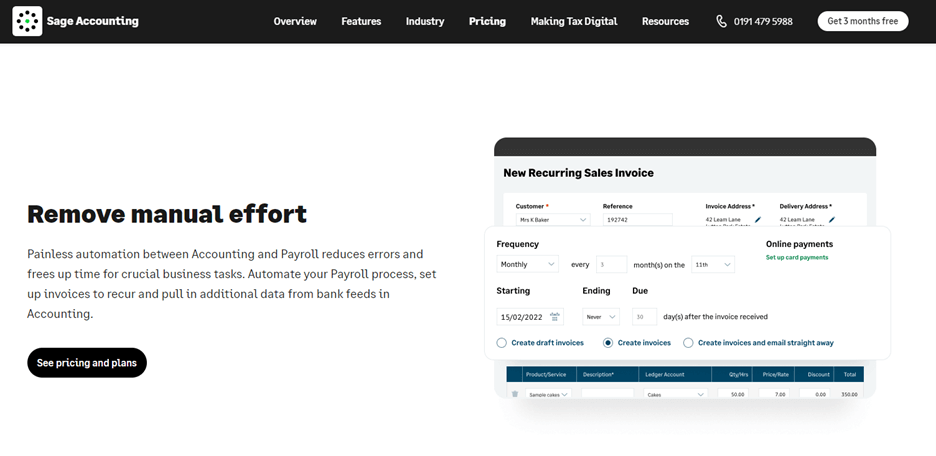
Explicitly lay out your payment process with customers and integrate this into automated services. Accounting payroll software is an excellent tool to help you control your business finances, allowing you to track invoices and overdue payments, set up recurring invoices, and create payslips all in one place. You’ll also be able to customize your invoices to include your payment terms, so it is very clear what they are.

5 Excuses for Late Payment (And How to Manage Them)

Inform customers of consequences

It would be great to think that having clear terms and an efficient payment process means you’ll always get paid on time. However, the truth is there will always be customers who miss payment deadlines.

With that in mind, always be clear and objective about the consequences of delayed payments. When issuing an invoice, state the payment deadline and mention the course of action if payment is not received on time. This could mean contacting a debt collection agency or issuing a late payment fee.

It tells customers what to expect and gives them a chance to avoid those consequences.

Stay professional

Feeling frustrated or angry when customers don’t pay on time is understandable. However, the way you deal with late payments is a reflection of your company. After all, you never know whether an excuse is a genuine error, so you don’t want to assume the worst of customers and lose their business.

You can assume the best intentions while still standing your ground. A quick ‘I appreciate that this was a no-fault error and would still require payment by [date]’ message can do the trick.

Follow up regularly

A huge part of business success is implementing tools and processes that streamline workflows. You may already have implemented HR management software, which can help you manage employee expenses, track staff performance, and seamlessly onboard new employees.

Similarly, digital solutions can be hugely beneficial when chasing payments. Designated software can be used to issue automated reminders, follow-up messages, and personalized confirmation emails that act as proof of payment.

On top of ensuring a quicker, more seamless resolution to the situation, this lets you apply a personal touch and prove to customers that you care about their business.

5 Excuses for Late Payment (And How to Manage Them)

Be flexible

Not every solution is suitable for every customer. For that reason, it’s best to stay flexible by suggesting alternatives on your payment page.

For example, you can offer a customer the option to pay half of the agreed sum upfront and the other half after they receive a product or service. You might also offer payment in installments or work on consignment.

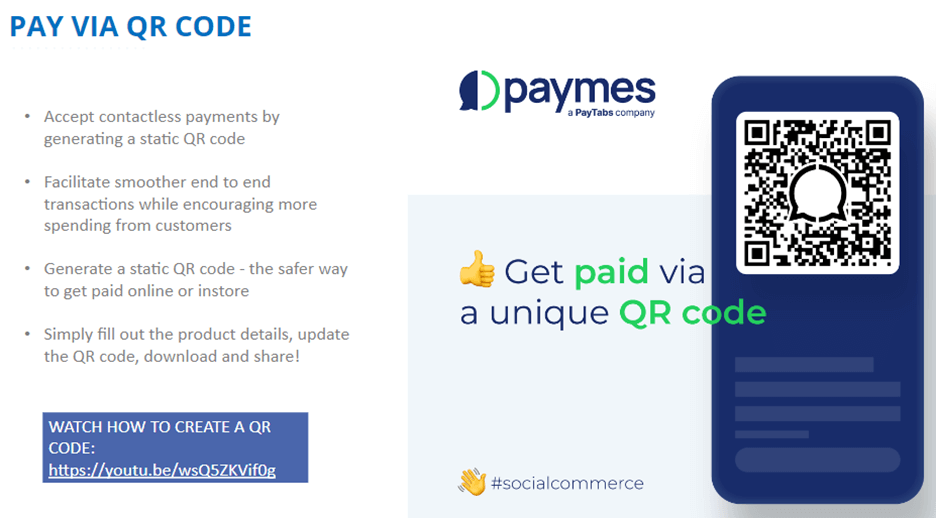
Provide different methods of payment to make it as easy as possible for your customers. For example using the Paymes social commerce platform payment can be made via a link, through the store, or even via a QR code.

5 Excuses for Late Payment (And How to Manage Them)

This shows that you’re willing to compromise and can help build trust between you and your customers.

Final thoughts

Late payments can result in significant costs for your business. However, it’s essential to act professionally when dealing with excuses for late payment. Be proactive: set clear payment guidelines and ensure customers can pay for services quickly and easily. Try to identify the genuine reason for the late payment, be polite but firm when following up, and always work with your customer to ensure a smooth resolution.

Bio:

Sage.comSage is the global market leader for technology that exists to knock down barriers so everyone can thrive. Millions of small and mid-sized businesses, our partners, and accountants trust our finance, HR, and payroll software to make work and money flow. We digitise business processes, strengthening relationships between SMBs and customers, suppliers, employees, banks, and governments. Knocking down barriers also means we use our time, technology, and experience to support digital inequality, economic inequality, and the climate crisis.

PayTabs
Privacy Overview

This website uses cookies so that we can provide you with the best user experience possible. Cookie information is stored in your browser and performs functions such as recognising you when you return to our website and helping our team to understand which sections of the website you find most interesting and useful.